





Originally published March 13, 2023.
Unlock The Power Of Showit Search Engine Optimization
Showit search engine optimization covers two platforms at once: the Showit app that holds your page designs and their SEO settings, and the WordPress blog underneath it. This guide explains how a Showit website is built, what SEO involves on the platform, the most common Showit SEO mistakes, and the five on-page elements to configure so your pages show up in Google search results.
If you feel like no matter what SEO strategies you try, nothing seems to work, the problem is usually structural. Showit gives you every tool you need. Most site owners just never configure them.
As a Showit SEO expert and veteran, consider me Forrest offering Lt. Dan (that is you) ice cream: Showit SEO insider secrets. If you are new here, read about my Forrest Gump moment and you will be in on the inside joke.
What Is A Showit Website?
Showit is a drag and drop design platform that sits on top of a WordPress blog. The two parts matter for SEO in different ways.
The app.showit.co side controls your page designs, and it holds the SEO settings for every non-blog page: page titles, meta descriptions, share images, text tags, and image SEO fields. The WordPress side runs your blog, and it is where you install one SEO plugin. RankMath is the recommendation for most site owners; Zynith suits advanced users. You do not need more than one.

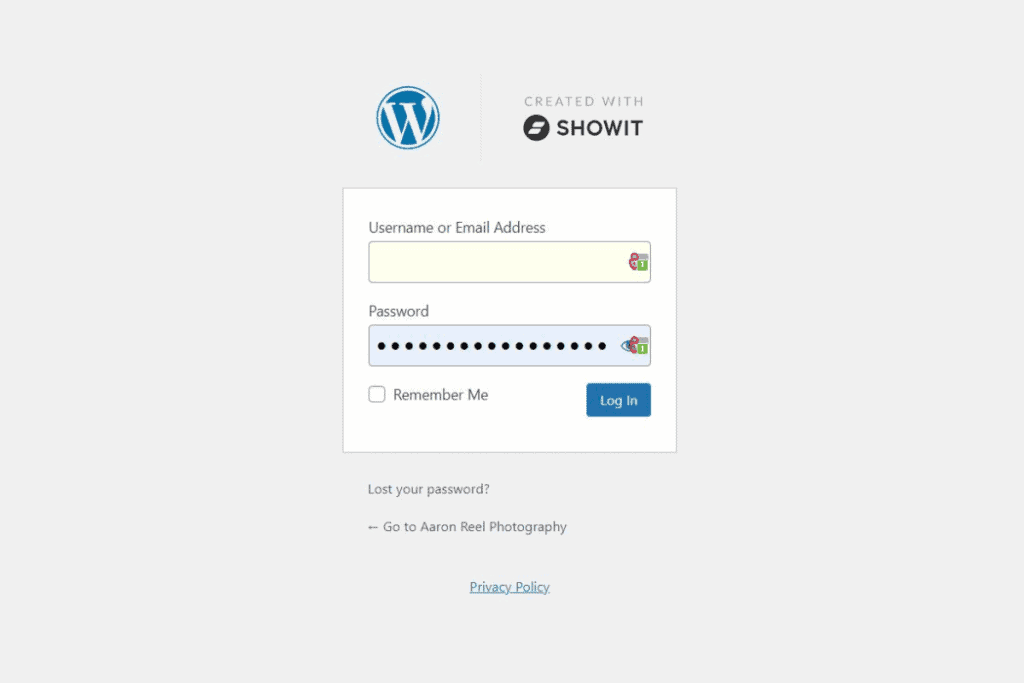
This split is why Showit SEO confuses people. Half your settings live in the Showit app, half live in WordPress, and a complete strategy covers both.
What Is Search Engine Optimization?
Search engine optimization is the process of increasing the number of visitors to a website by ensuring the site appears high in the results a search engine returns. It covers keyword research, content creation, on-page configuration, backlinks, and performance tracking, all working toward one outcome: when your ideal client searches for what you do, your pages appear.
4 Benefits Of SEO For Showit Websites
- Increased visibility. Proper configuration helps your pages rank higher in relevant searches, so more people find your site.
- Better user experience. Structured content is easier to navigate, which improves engagement and reduces bounces.
- More conversions. Visitors arriving from organic search came looking for what you offer, so they convert at higher rates than cold traffic.
- Brand recognition and authority. Ranking well builds trust with potential clients before they ever click.
The 3 Most Common Showit SEO Mistakes
Pause.
Before you run, you have to walk. The best way to hit the ground running is to learn the mistakes first. These three appear in almost every Showit SEO project intake:
- Unoptimized images. Every image needs a descriptive title and alt text, and files should be resized before upload. Oversized images slow page speed, and page speed affects rankings. The full process is in the Photographers Guide To Showit Image Optimization.
- Keyword assumptions and stuffing. Guessing at keywords, then repeating them excessively in content and metadata, reads badly for visitors and gets ignored or penalized by Google. Research replaces guessing.
- Improper text tag usage. Showit assigns heading tags based on text styles, and misusing them scrambles the structure Google reads. See How To Use Showit Header Tags Like An SEO Pro.
Keywords: Every Page Is Real Estate
Every page on your website is real estate for a keyword set. Knowing what people search for, and helping Google find the information people want, is the entire job. Keyword research tells you which words and phrases your ideal clients type into the search bar, from both an analytical perspective and intuition about your market. Free tools like Google Keyword Planner cover most small business needs.
The 5 On-Page Elements To Configure In Showit
1. Site Title
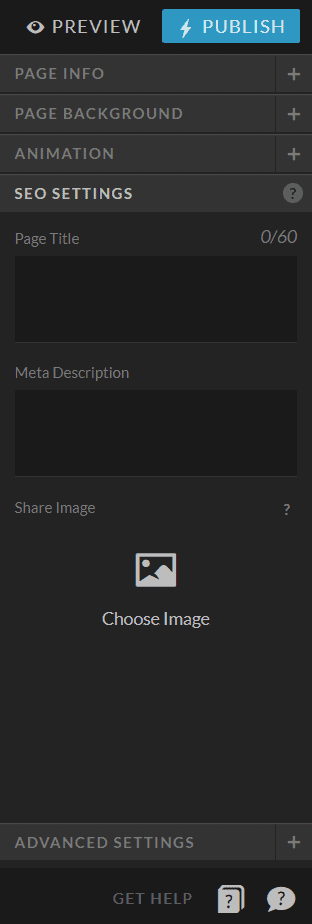
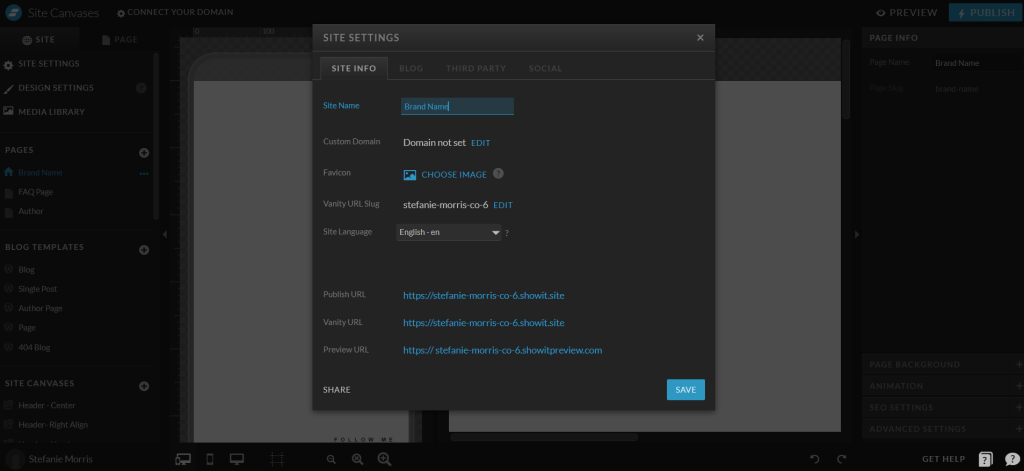
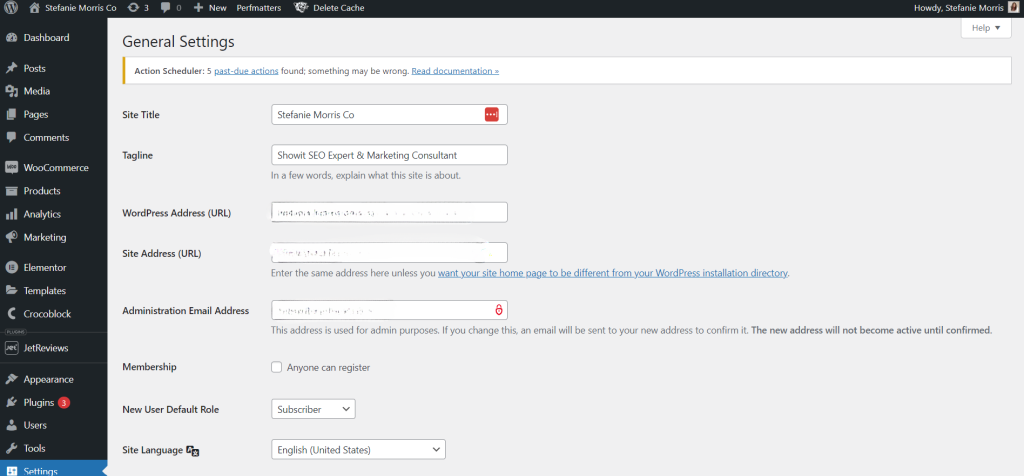
Your site title appears in two places, and they should match. In Showit: Site Settings, then Site Name, plus the home page’s Page Title and SEO Settings. In WordPress: Settings, then General, then Site Title. Most businesses use their formal business name or brand name.
2. Page Titles
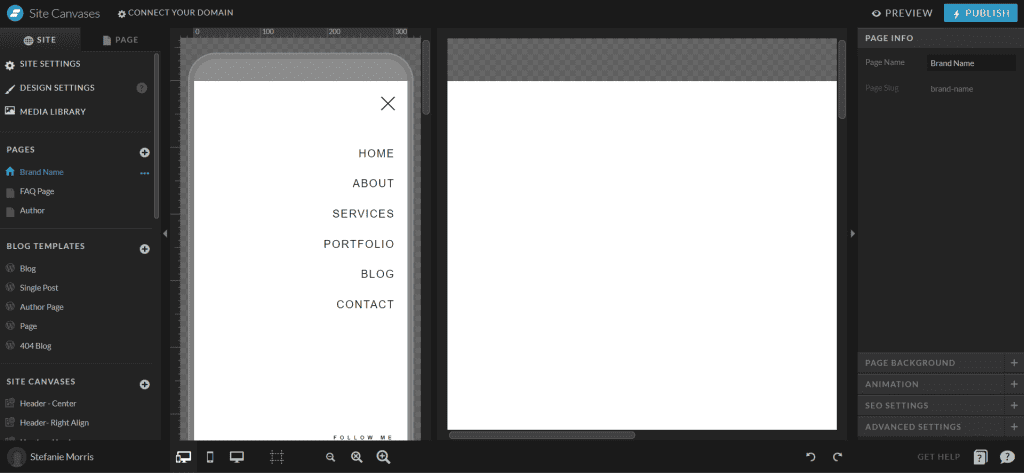
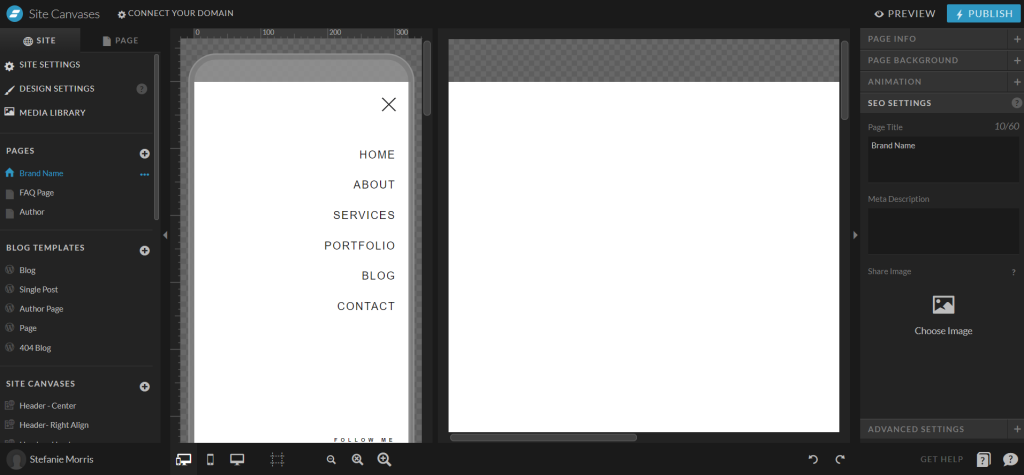
The page title tells readers and search engines what the page is about, and it is the headline searchers see in results. Keep it under 60 characters, name the page’s purpose, and include the page’s keyword.
3. Meta Descriptions
The meta description is the snippet under your title in search results. It gives searchers a reason to click. Keep it under 160 characters and write it for the human, not the algorithm.
4. Text Tags
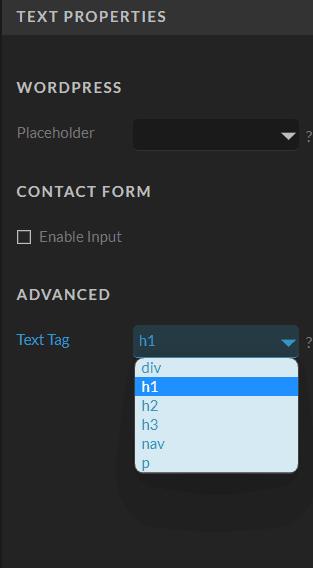
Search engines use heading tags to index the structure of your pages. The most important heading on a page is the h1, followed by h2 and h3 in order. Showit applies text tags based on font design settings, so check that your visual hierarchy matches the tag hierarchy.
5. Image SEO
Every image in Showit has SEO Title and Description fields. These become the image’s title and alt attributes, which help search engines index the file and keep your site accessible. Fill them in with plain descriptions of what the image shows.
All five elements live in the settings covered step by step in How To Use Showit SEO Tools Like An SEO Pro.
Track Results To Improve Your Showit SEO
SEO is not a one and done process. Set up Google Search Console so you can see how your pages perform in search: indexing status, clicks, and the queries that bring visitors. Connect Google Analytics 4 to see what those visitors do once they arrive. Then review the data on a regular schedule and adjust page titles, descriptions, and content where the numbers say attention is needed. The workflow is covered in How To Use Google Search Console To Refine Keywords.
Showit SEO Questions And Answers
Is a Showit website good for SEO?
Yes. Showit provides page titles, meta descriptions, text tags, image SEO fields, and no-index controls on every page, plus a full WordPress blog. The platform is not the limiting factor; configuration is.
How long does SEO take on a Showit website?
Expect several weeks to months before rankings move noticeably. Keyword research, content work, and technical fixes each take time to compound, and Google needs time to recrawl and reassess your site. Consistent effort wins; overnight results do not happen.
Can a Showit website rank for local searches?
Yes. Local SEO combines location-specific keywords, content written for the areas you serve, and an accurate Google Business Profile. Name your service areas on your pages and keep your business information consistent everywhere it appears online.
How often should I update my Showit SEO?
Review keywords monthly or quarterly, publish content regularly, check analytics for each important page, and revisit the overall strategy yearly. Small consistent updates outperform occasional overhauls.
Next Steps For Your Showit Website
Start with a Showit template designed by an SEO professional, request an SEO audit to see where your site stands, or work with a Showit SEO expert and website designer for a build or relaunch. If your site shows the warning signs, read 7 Signs Your Showit Site Needs SEO Optimization, then visit the MoCo.Marketing contact page to talk through the right move for generating organic traffic from Google.


